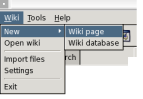
There are two ways to create a new page:
The easiest way to create a new page is by the menu Wiki ---> New ---> Wiki Page
Another way to create a new page is to create a link to a page wich does not exist
in the database. Go to the editor and type for example [NewPage NewPage.html].
After that you can switch to the viewer and click on the link (dont forget to save first).
example
next: Editing a page.